Skip to product information
1 of 7

Five Star Baby

Inflatable Baby Seat with Built-In Pump | FiveStarBaby

Inflatable Baby Seat with Built-In Pump | FiveStarBaby

Regular price $24.99 USD
Regular price $29.99 USD Sale price $24.99 USD
Sale Sold out
Shipping calculated at checkout.

Quantity
  • Commitment to Excellence
  • 100% Satisfaction Guarantee
  • Free US Shipping Over $100

Buy it now and receive it between Tuesday, 10 February and Friday, 13 February

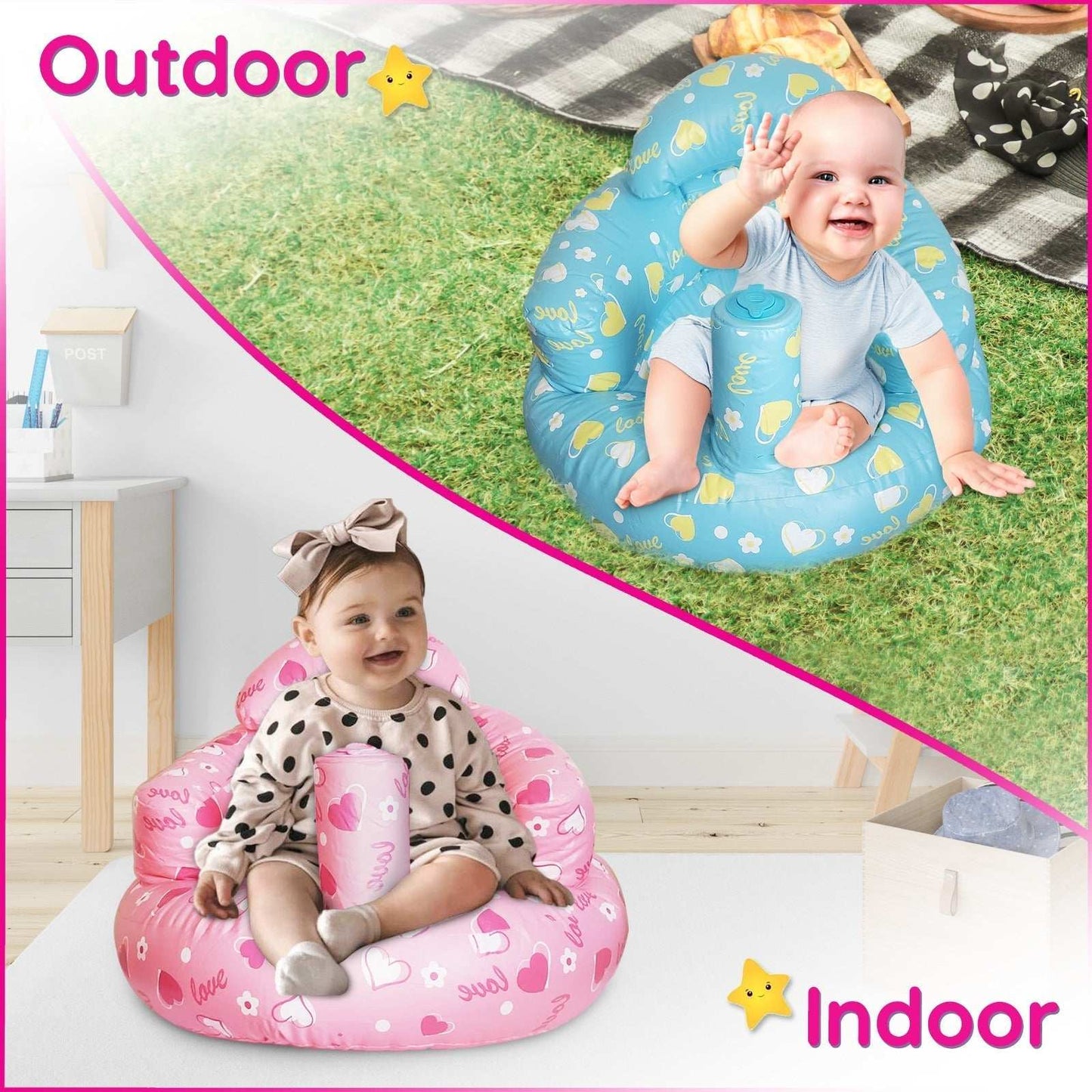
Give your little one a comfy and secure place to sit with our Inflatable Baby Seat with Built-In Pump – the perfect travel-friendly baby floor seat for home, playtime, and on-the-go adventures! Designed for babies learning to sit, this portable baby chair features a soft yet supportive design that helps strengthen posture while keeping your baby cozy and safe.

Why Parents Love This Baby Seat:

Built-In Pump for Easy Inflation – No extra tools needed! Quickly inflate or deflate for convenient use and storage.
Ergonomic & Supportive Design – Provides essential back support for babies learning to sit upright.
Soft & Durable Material – Comfortable yet sturdy, designed to prevent tipping over.
Compact & Lightweight – Perfect for travel, playdates, or keeping baby close during daily activities.
Multipurpose Baby Chair – Use as a baby seat, feeding chair, or floor seat for infants.
Easy to Clean & Maintain – Made from waterproof, wipeable material for quick clean-ups.

Perfect for Home & Travel!

Whether you're looking for a baby travel seat, a toddler floor chair, or a safe and cozy spot for playtime, this inflatable baby chair is a must-have for busy parents. Compact and lightweight, it easily fits in diaper bags and backpacks for on-the-go convenience.

🎈 Give your baby the best support and comfort – order your inflatable baby seat today! 🎈

Shipping Information

Fast shipping from within the US.

Returns & Warranty

30 Day Risk Free Guarantee

Inflatable baby seat with built-in pump for easy travel and support

Inflatable Baby Seat with Built-In Pump | FiveStarBaby

Regular price $24.99 USD
Regular price $29.99 USD Sale price $24.99 USD

Prev/Next products

Inflatable baby seat with built-in pump, ergonomic support, portable and travel-friendly baby floor chair ecomgraduates.product.prev_product
View full details

Frequently Bought Together

These sets are loved from our customers.

Frequently Bought Together

These sets are loved from our customers.

FiveStarBaby Stuffed Animal Chair

Stuffy Storage Chair

Stores stuffed animals while giving kids their own comfy chair.

Check It Out ~

Caption

Feature 1

Pair text with an image to focus on your chosen product, collection, or blog post. Add details on availability, style, or even provide a review.

Call To Action →

Caption

Feature 2

Pair text with an image to focus on your chosen product, collection, or blog post. Add details on availability, style, or even provide a review.

Call To Action →

Caption

Feature 3

Pair text with an image to focus on your chosen product, collection, or blog post. Add details on availability, style, or even provide a review.

Call To Action →

Shoppable Videos

  • New
  • Last Chance
  • Most Liked
  • New
  • Last Chance
  • Most Liked
1 of 6

Table Compare

An optional description for this section

Add on optional caption explaining the table comparison. Leave empty to disable.
Our Product Competitor 1 Competitor 2
Feature name
Feature name
Feature name
Feature name
Feature name

FAQs

What exactly is the Dawn Pro Theme?

Dawn Pro is our upgraded version of Shopify’s free Dawn theme but smarter, faster, and packed with features store owners actually need. We took everything people love about Dawn and built on it so you can design a stunning, high-converting store without juggling dozens of apps.

Do I need to know how to code?

Nope! You can use Dawn Pro straight out of the box. It’s designed for regular store owners who want control without touching code. If you ever do want to tweak things deeper, all the files are open and developer-friendly.

Is Dawn Pro compatible with the latest Shopify updates?

Yes it’s fully built on Shopify’s latest Online Store 2.0 framework, which means sections everywhere, app blocks, and all the modern Shopify features work perfectly.

Can I install it on my existing store?

Definitely. You can upload it right inside your Shopify admin and preview it before going live. Your current products, collections, and settings will stay safe you’re just switching to a better-built theme.

What’s actually different from the regular Dawn theme?

We added dozens of premium features: faster load times, cleaner layouts, built-in conversion tools, customizable sections, and advanced design settings you normally need apps for. Basically, you get the same simplicity of Dawn just supercharged.

Will it look good on mobile too?

Of course! Every section and layout automatically adjusts for mobile, tablet, and desktop. Your store will look amazing on any device.

Does Dawn Pro help with speed and SEO?

Yes that’s one of its biggest perks. The theme is lightweight, optimized for performance, and helps your pages load faster. Faster pages = happier customers and better Google rankings.

What if I run into problems or need help?

You’ll have access to our theme documentation and our friendly support team. We’re real people (no bots!) and we love helping merchants get things running smoothly.

Will my apps still work?

They should! Dawn Pro is built on Shopify’s standard structure, so most apps work the same as they do on the default Dawn theme. If you’re using a very custom app, just test it in preview mode before publishing.

How do I update the theme when new versions come out?

We’ll release updates when Shopify rolls out new features or improvements. You can always upload the latest version, copy over your settings, and be good to go. We keep things simple.

Can I customize fonts, colors, and layouts?

Absolutely & that’s what makes it fun. You can change colors, typography, and section layouts right from the Shopify editor. No extra apps needed to make your store look like you.

Can I test Dawn Pro before going live?

Yes! You can upload it to your Shopify store as an unpublished theme and preview every page before you hit publish. That way you can fine-tune things without affecting your live site.

Will switching themes affect my SEO or products?

No worries there. Your URLs, products, and content stay the same. The only thing that changes is how your store looks and performs for the better.

What kind of images or videos work best?

Use high-quality but lightweight images (WebP or optimized JPGs) and short, muted videos if needed. Dawn Pro is designed to showcase visuals beautifully, so your product photos will really stand out.

Is there a refund or guarantee?

Because this is a digital product, all sales are final but we stand behind our work. If you run into issues, our team will do everything we can to make sure you’re taken care of.

Is Dawn Pro a one-time purchase or subscription?

It’s a one-time purchase & no hidden fees, no recurring costs. Once you buy it, it’s yours for life, and you’ll have access to future updates that improve performance and add new features.

How long does it take to set up my store with Dawn Pro?

You can have your store looking professional in just a few hours. Most users are surprised how quickly they can publish once they replace demo content with their own. Everything’s laid out logically & you won’t waste hours hunting for settings.

Can I use Dawn Pro for multiple stores?

Each purchase includes a single-store license. If you run multiple stores, you’ll need one license per store. This helps us continue building new features and providing support for everyone fairly.

Do you offer installation help?

Yes & if you’d rather not handle it yourself, our team can help set it up and match your brand colors, fonts, and layout at an extra cost. Just reach out after your purchase and we’ll walk you through the process or offer our installation service.

What if I already customized the regular Dawn theme can I transfer that work?

Some settings can be imported, but custom code edits won’t automatically carry over. However, since Dawn Pro is built on the same structure, it’s usually easy to re-apply your previous tweaks with cleaner code.

Will this work for my niche or industry?

Yes Dawn Pro is flexible enough for fashion, beauty, tech, home decor, food, or digital products. Every section is customizable, so it adapts easily to your brand and product style.

Does it include built-in product upsells or bundles?

It includes optional sections for “Bought Together,” “You May Also Like,” and customizable product highlights, so you can drive upsells and cross-sells without adding extra apps.

Can I translate Dawn Pro into other languages?

Yes! Shopify’s translation tools work perfectly. You can add multiple languages or use third-party translation apps, and all theme text fields support multilingual content.

Does Dawn Pro include demo content?

Yes, it comes with demo blocks and pre-filled text & layout so you can see how everything fits together. You can swap in your own content anytime.

Can I add a file upload option to the contact form in Dawn Pro?

Shopify doesn’t natively allow file uploads in its default contact forms because it has no built-in file storage system. However, you still have a few easy workarounds:


  • Embed a form from a third-party service like JotForm or Typeform, which lets customers upload files directly and then sends the submission to your email.

  • Use a form-builder app from the Shopify App Store — such as Form Builder – Contact Form — that includes secure file upload support.

If you’re using Dawn Pro, just drop the embed code or app block right into your contact page section. You’ll get the same professional layout, plus the upload feature you need.

Why can’t personalization fields work with Quantity Breaks in Dawn Pro?

That’s a known Shopify limitation & not something unique to Dawn Pro. The personalization fields (like engraving text boxes or custom message inputs) and the Quantity Breaks feature both rely on different pieces of Shopify’s theme logic, and unfortunately, they don’t communicate well together.

Because of how Shopify’s core system handles cart line items and product properties, those two features can’t run at the same time without breaking one another.

If personalization is more important for your store, you can keep it enabled and skip Quantity Breaks. But if bulk discounts are the priority, you can leave out personalization and keep Quantity Breaks active.

How does the Mega Menu image feature work in Dawn Pro?

It’s built to be as automatic and clean as possible. When you add a link in your mega menu that points to a collection or a product, Dawn Pro will automatically pull the featured image from that link and display it inside the dropdown no extra uploads or setup needed.

This keeps your navigation visually engaging while staying lightweight and fast. If your link is a standard page or custom URL (not a product or collection), then no image will appear which helps keep the logic simple and prevents theme conflicts.

Last Call To Grab Customers Attention

Share information about your brand with your customers. Describe a product, make announcements, or welcome customers to your store.